Before You Start
Before you install drives, make sure that the following steps have been completed.
- Ensure to install the enclosure into a rack before installing drives into the enclosure.
- Refer to the Compatibility Guide (QVL) for supported drives. You can find it at Support > Technical Support > Scale-out NAS > Downloads.
- NVMe SSDs must be purchased from Infortrend.
Minimum Drive Number
Each model requires a different minimum number of drives. Refer to the article below for details.
How many drives must I install on my CS model?
Install a Drive
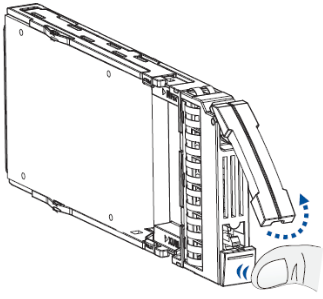
- Press the release button of the drive tray to open the spring handle.
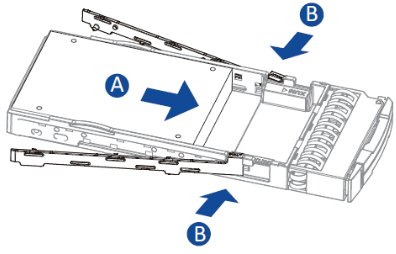
- Place a drive into the drive tray (A), and secure the clips to both sides of the tray (B).
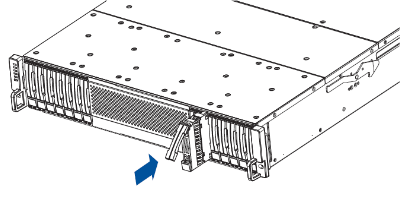
- With the spring handle open, insert the assembled drive and tray into a drive bay.
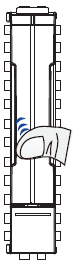
- When the tray is fully inserted into the bay, close the spring handle.
 Home