After setting a disk pool, folders, and shared folders, you can start to create user accounts to set up their permissions.
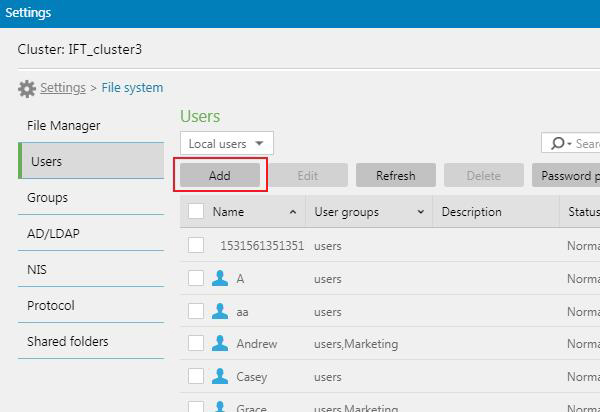
- Go to Settings > File system > Users
- Go to the top left menu and select Local users.
- Click Add to add a new user.
We use cookies on this website. To find out more about cookies and how they are used on this website, see our Privacy Policy.
By clicking ?ontinue?? you hereby agree with our use of cookies.
EonStor CS / CS 3000 / CS 3060
After setting a disk pool, folders, and shared folders, you can start to create user accounts to set up their permissions.
 Домой