Symptom:
Trigger a force dump in the following situations:
- You can ping the management port IP but cannot access the WebGUI.
- I/O is hanging or slow, but the controller is still functioning normally.
- You are unable to access the WebGUI, but the serial console is operational.
Solution:
- Triggering the Force Dump:
Press and hold the service button on the front side of the storage until the white LED lights up.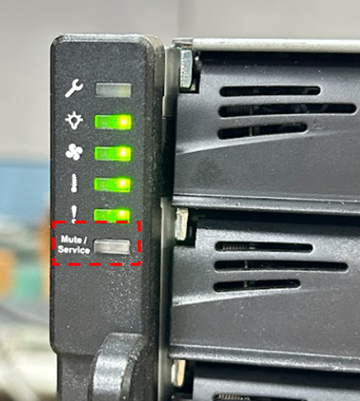
- If You Can Access the WebGUI (EonOne):
- Navigate to EonOne -> Settings -> System -> Maintenance -> Diagnostic Information -> System Core Dump.
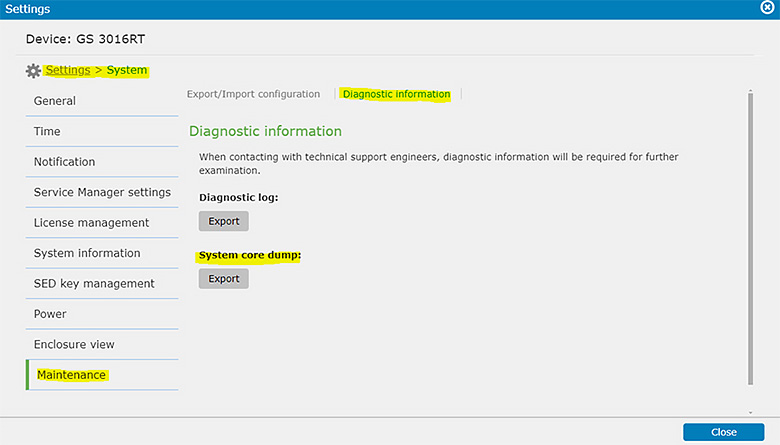
- Export the core dump/system information and send it to technical support: Infortrend Support.
- Navigate to EonOne -> Settings -> System -> Maintenance -> Diagnostic Information -> System Core Dump.
- If You Cannot Access the WebGUI:
- After triggering the force dump, try rebooting the storage system.
- If the issue persists, contact Infortrend Support.
Note: This operation will overwrite the previous core dump, so proceed with caution.