Symptom
- Some customer environments require that SNMP not be enabled to ensure network security.
- A vulnerability scan identified security risks associated with the SNMP service on the customer’s storage system. The specific vulnerability found is: 41028 - SNMP Agent Default Community Name (public).
Diagnosis
The SNMP service is using the default community name "public," which can pose a security risk.
Solution
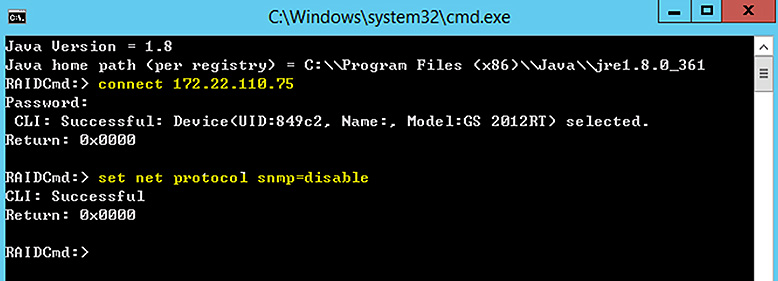
To disable the SNMP service via the CLI, follow these steps:
- Download the CLI tool:
Download CLI
- Install Java:
Visit the Java website to download and install the required Java version. - Disable SNMP service:
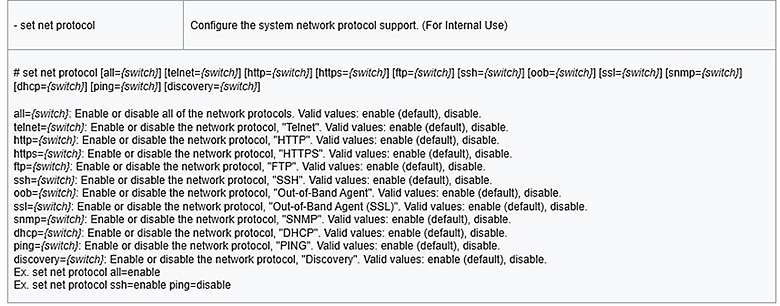
Use the CLI command: set net protocol snmp=disable