Symptom
When activating the license on the Infortrend website, the result page shows “Duplicate Service”.
Solution
- Verify Matching:
If you have more than one machine, make sure that each product is matched with the correct license and machine. Double-check that you are using the right license for the corresponding machine. - License Reactivation:
Visit the Infortrend website > Support > Product Services > License Reactivation to obtain all existing license key files. (Refer to the attached image for guidance.)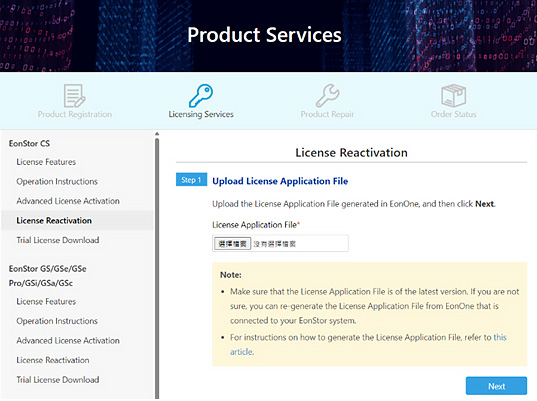
Additional Tips
If the above methods do not resolve your issue, please contact the Infortrend technical support team for further assistance.
You can reach the support team at Infortrend Support.