Symptom
In a dual-controller setup, you notice that under certain conditions, both data port IP addresses allow access to the management UI. You're wondering when and why this occurs.
Diagnosis
- Normal Operation (Controller A Primary, Controller B Secondary):
Under normal circumstances, the management UI process runs exclusively on the primary controller (Controller A). Therefore, you can only access the management UI through the IP address associated with Controller A, such as172.22.110.158.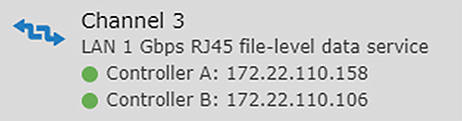
- Failover Scenario (Controller A Fails, Controller B Becomes Primary):
If Controller A fails, Controller B automatically takes over as the primary controller. In this situation, Controller B will assume the IP address of Controller A, allowing you to access the management UI through both172.22.110.158(now assigned to Controller B) and the original IP of Controller B, such as172.22.110.106.
Explanation
When the primary controller (Controller A) fails, the secondary controller (Controller B) will take over its role, including the primary IP address. At this point, both data port IPs can be used to access the management UI, as the UI process will now be running on Controller B.