Symptom:
When attempting to unmount a file-level snapshot, the process stalls at 99%, accompanied by the warning message "The task is running now."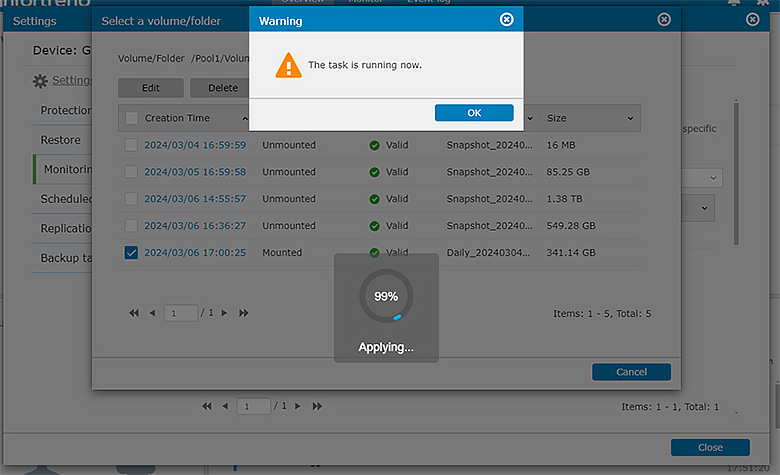
Diagnosis:
The GUI encounters difficulty completing the unmap operation for the snapshot, causing it to become unresponsive at 99%.
Solution:
To resolve this issue, update your GS system firmware to the latest version available. This process ensures that your system benefits from the latest bug fixes, enhancements, and optimizations provided by the manufacturer. Here’s how you can proceed:
- Backup Important Data:
Before initiating the firmware update, ensure all critical data on your GS system is backed up to prevent any potential data loss. - Download the Latest Firmware:
Visit Infortrend's firmware download page to obtain the latest firmware version suitable for your GS system model. - Upgrade Process:
Follow the specific firmware upgrade instructions provided by Infortrend, which typically include:- Uploading the downloaded firmware file to your GS system.
- Initiating the upgrade process through the system's management interface.
- Monitoring the upgrade progress to ensure it completes successfully without interruptions.
- Verify Upgrade:
- After completing the firmware upgrade, verify that the new firmware version is correctly installed on your GS system.
- Check for any improvements or fixes related to system stability, performance, or specific issues you may have encountered.
Updating to the latest firmware version helps address various system issues, including the inability to unmount file-level snapshots successfully. This ensures your GS system operates efficiently and securely with the latest updates.