We use cookies on this website. To find out more about cookies and how they are used on this website, see our Privacy Policy.
By clicking ‘Continue’, you hereby agree with our use of cookies.

The Quick Service App is currently for use with the EonStor DS Family and iOS devices only, and it is under development for other families and Android devices. Please leave your email address here and we will notify you as soon as the update is released. Thank you for your understanding!

Infortrend Quick Service App

A quick and easy RMA and health checking tool for Infortrend EonStor DS storage systems.

The Infortrend Quick Service App was designed with simplicity in mind. It offers a quick and easy way to carry out system scans to diagnose issues and send system logs to our support team who will help you with the RMA process and provide all the solutions you need to ensure your system’s issues can be fixed right away.
Why download the Infortrend Quick Service App?
  • Automatically collect system logs and configuration information on your system to speed up the RMA and issue resolving process everywhere.
  • Provide quick technical reports via its easy one-click feedback process
  • Helps you and our Infortrend support team solve storage issues faster
Before downloading the App, make sure that:
  • Your smart phone is linked to the storage LAN
How does it work?
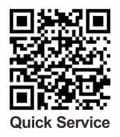
  • Scan the QR code to download the app on your iOS mobile device. Follow the download instructions
  • Once downloaded, enter your Infortrend system’s IP address to automatically scan the system
  • After the scanning is completed, click “send” to deliver the report to Infortrend
  • Infortrend support team will contact you with a solution and RMA support
  • You can check the support records at any time via the app


Scan the QR code to get your free Quick Service App now.

Quick Service - QR Code

For More technical support,
please click here.