Các câu hỏi thường gặp
How do I set up and use the spare drive?
We provide 3 types of spare drive configuration:
- Global Spare
- Local Spare
- Enclosure Spare
To set up a spare drive, launch EonOne, click Settings > Storage > Drive, select the drive, then click Manage Spare Drive and do the needed configuration.
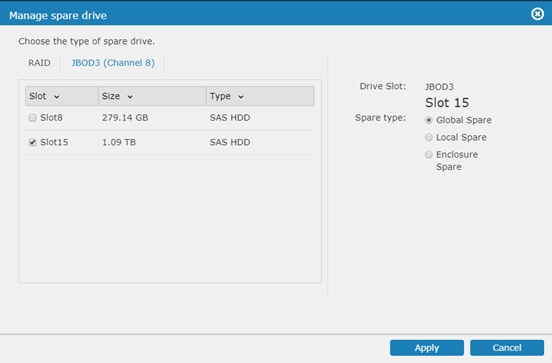
You can only use unallocated/unoccupied drives (drives not allocated to logical drives or storage pool) as spare drives.
To automatically replace the bad drive, see FAQ Clone and Replace setup.
Created Date: 03/23/2018