How does the host interfaces trunk group work in EonStor CS?
The cluster has multiple outward-facing LAN channels for data delivery. By merging these LAN channels into one large-bandwidth channel (i.e. a trunk group), you can speed up the cluster’s data transmission.
- For internal network, the trunk group is enabled default (ALB), For Front-end network, you can setup a trunk group with ALB or LACP.
- Trunk group will combine multiple single front-interface with same channel number across all the nodes.
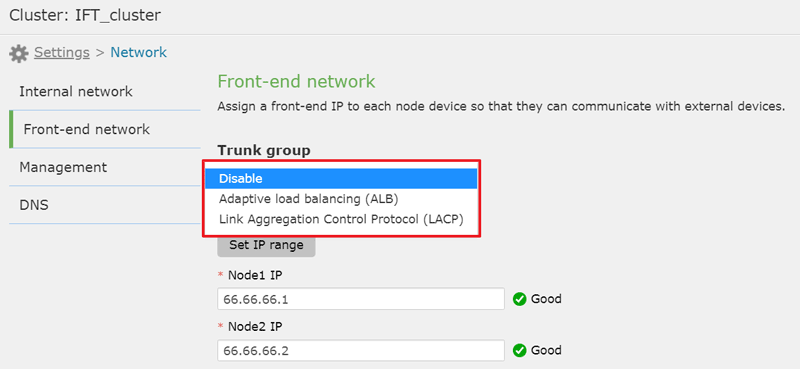
Go to Settings > Network > Front-end network, select the channel number you want to do the trunk and select the trunk mode
- Disable
The cluster does not apply adaptive load balancing or IEEE 802.3ad dynamic link aggregation. - Adaptive load balancing (ALB)
The system assigns client traffic to different channels in the trunk group to balance the network workload. While using ALB, you do not need to connect the cluster to any intermediate networking device. - Link Aggregation Control Protocol (LACP)
The system assigns client traffic to different channels in the trunk group to balance the network workload.
LACP provides fault-tolerant data transmission even when a channel in the trunk group fails.
While using LACP, you must connect the cluster to an intermediate networking device (e.g. switch) that supports LACP.
The system automatically merges all channels into one single channel (i.e. the trunk group) in the specified mode. The merged channel takes the first channels settings by default.
Assign new external node IP addresses to the merged channel. To apply serial Front-end IP addresses, click Set IP range.
Then, continue to assign the subnet mask, default gateway and frame size to the merged channel. Then click Save.
Created Date: 03/17/2020