How do the Jumbo Frames work in EonStor CS?
Jumbo frame can reduce network overhead and CPU workload, but it may consume network bandwidth, jumbo frame support both Front-end and Internal network.
- Jumbo frame for Front-end network
Go to Settings > Network > Front-end Network, select the channel you want to enable jumbo frame in.
Select the frame size and switch to 9000, it means the jumbo frame has been enabled.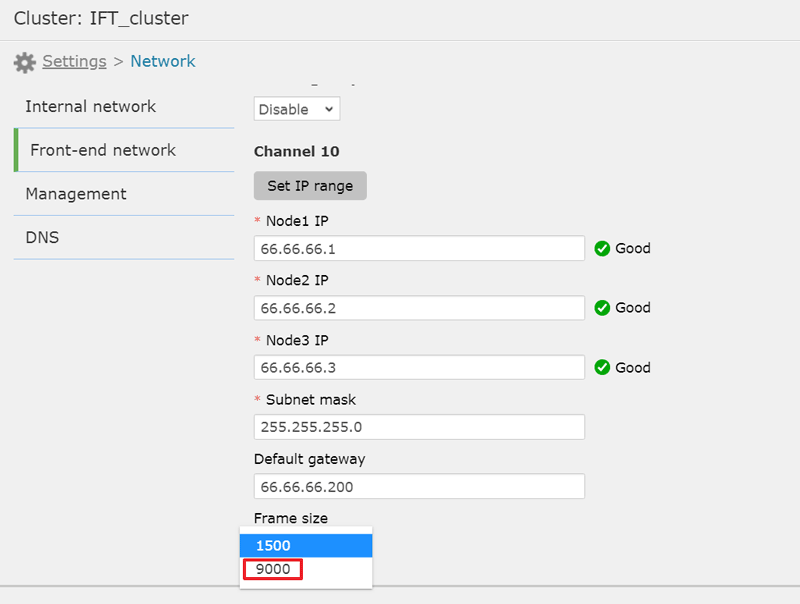
- Jumbo frame for Internal network
Go to Settings > Network > Internal Network, select the frame size and switch to 9000, it means the jumbo frame has been enabled.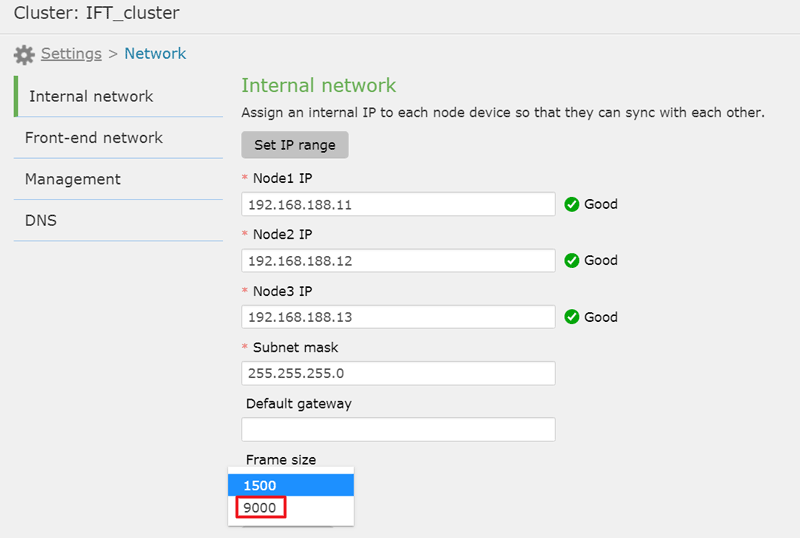
While enabling the jumbo frame for Front-end or internal network, PLEASE MAKE SURE the network switch supports the corresponding jumbo frame setting as well, please refer your switch model user manual to configure the jumbo frame.
Created Date: 03/18/2020