How do I fix slow SMB file transfer to my GS from a MAC client running in Mac OS X or later?
If you encounter slow file transfer in SMB connection but the local file transfer speed via AFP is normal, this may be due to the signing-on feature. When SMB is enabled (which is by default), you may encounter slow SMB performance.
To fix SMB file transfer issue:
- Connect your Mac to your GS system using SMB.
- From your problematic Mac system, launch Terminal application.
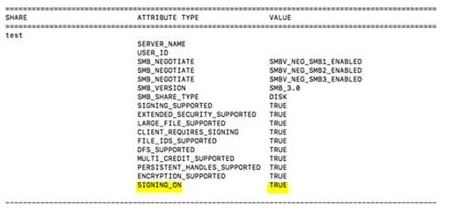
- Enter the command smbutil statshares -a to display the attributes screen. If SIGNING_ON is shown as TRUE, proceed to the next step to disable this feature.
- Enter the command printf"[default]\signing_required=no\"|sudo tee/etc/nsmb.conf >dev/null to turn off SIGNING_ON.
- Enter the command smbutil statshares -a to confirm if SIGNING_ON is no longer displayed. This means that the said feature is already turned off.
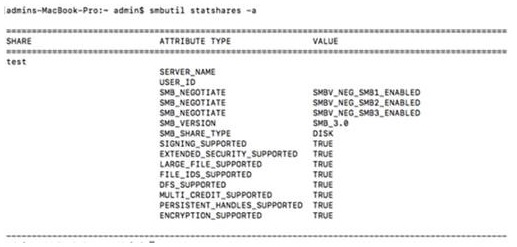
- Unmount the NAS server and connect it again via Mac's Finder.
- Validate if the SMB file transfer performance has been improved.
Created Date: 03/23/2018