How to upgrade the EonStor CS firmware to the latest edition?
- Download the Firmware
Go to Infortrend official website > Support > Download and select the model information or enter the CS serial number and select the Files as Firmware.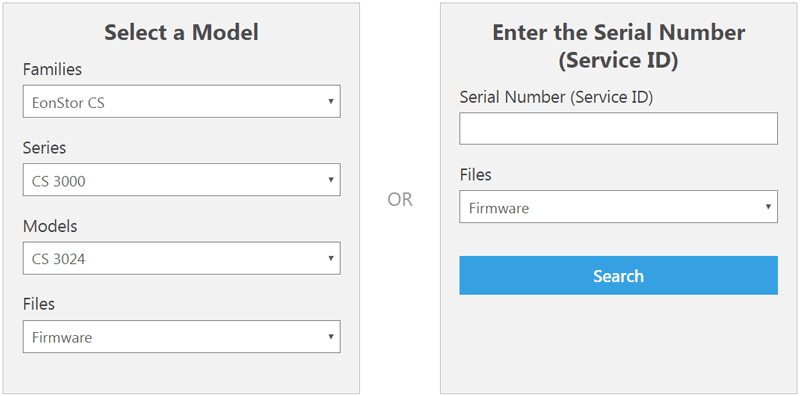
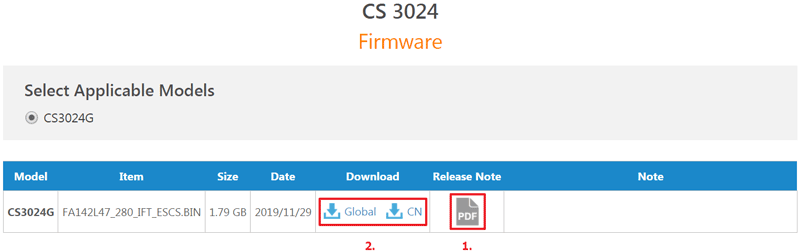
Before downloading the firmware, please read the release note for the latest firmware to check if there is anything you need to do before upgrading the firmware, such as updating bridge firmware, etc.
After checking the release note, download the firmware.
- Upgrade the Firmware
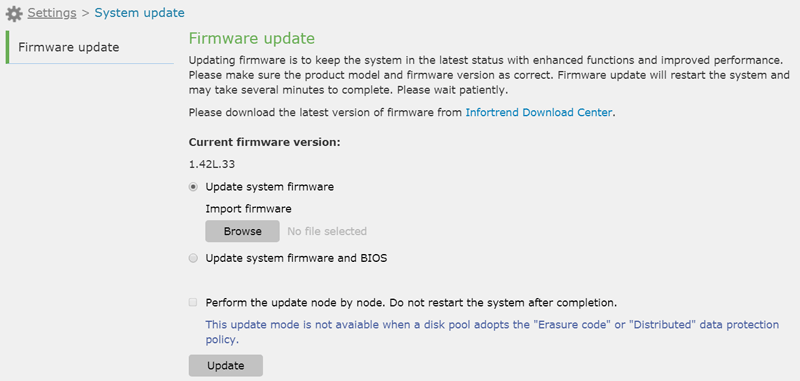
Go to management software EonOne for this cluster, select Settings > System update, and choose an update method. Then click Browse to import the downloaded update file.
To avoid disrupting of the system running during the update process, select Perform the update node by node. Do not restart the system after completion. In this case, the update will be applied node by node. Then click Update to apply the update. If this option is not selected, the cluster shuts down during the update and restarts when the process is complete.
Created Date: 03/12/2020