- Go to Infortrend official website > Support, scroll down and click license service
- Login the support site, you can create the new account if you don’t have one.

- At the left menu bar, select “License Activation”.
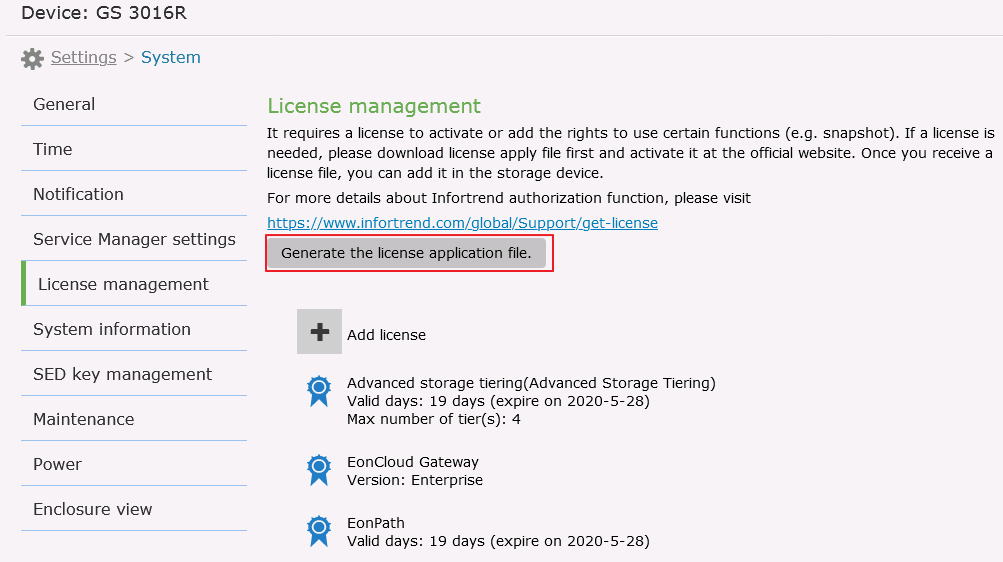
- Go to the management software EonOne > Setting > System > License Management and click “Generate the license application file”.
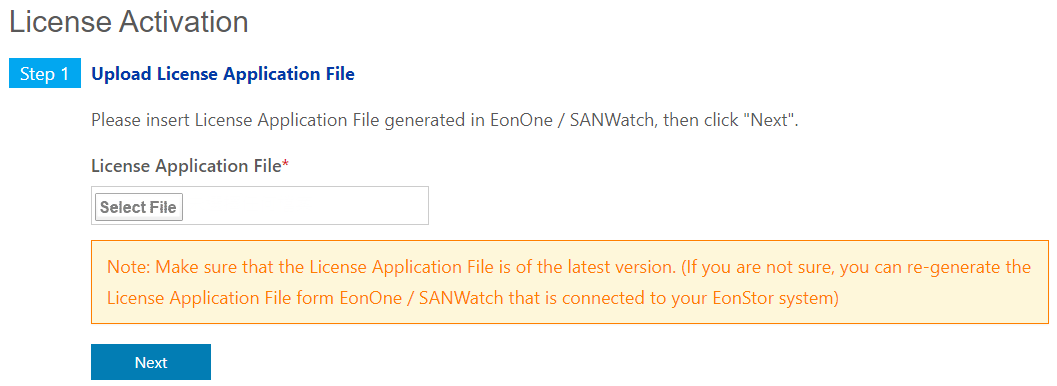
- Select the License Application File and upload it, and click “Next”
- Fill in the License Serial Number you received from Infortrend, and click “Add” to add the license into “License to be added” section, after checking the license is the one you want, click “Next” button.

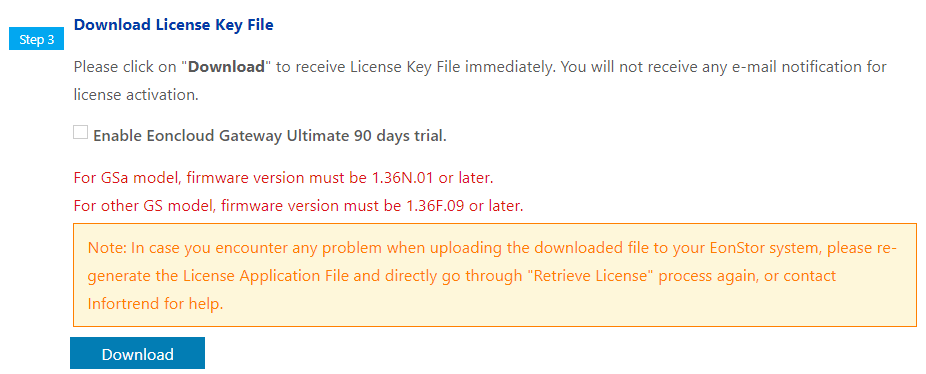
- Click “Download” to download the license key file
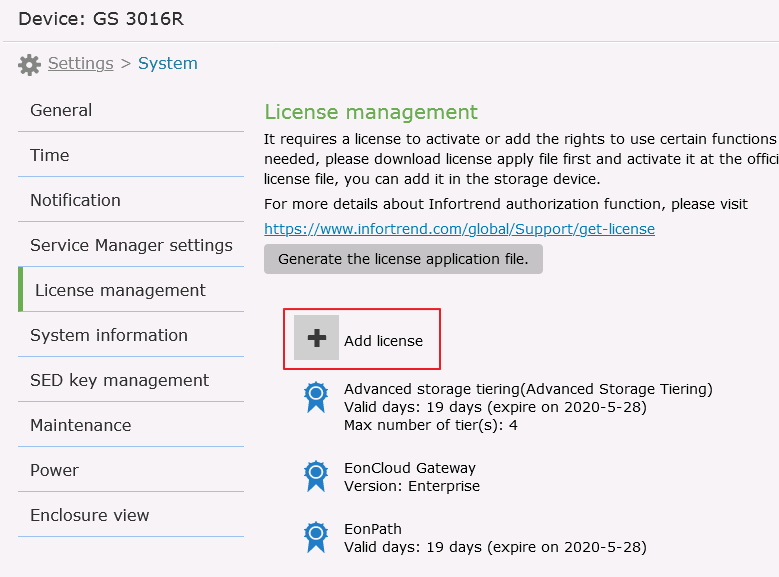
- Go to EonOne > Settings > System > Add license and upload the license files, and the license will be activated.
How to operate License Activation for GS/GSe/GSe Pro/GSi/GSc/GSa family
Created Date: 05/15/2020