We use cookies on this website. To find out more about cookies and how they are used on this website, see our Privacy Policy.
By clicking ?ontinue?? you hereby agree with our use of cookies.

知識庫

Why Doesn't EonOne Antivirus Time Update After Clicking "Update Now"?

Last modified date: Thu, 24 Oct 2024 15:58:30 GMT+8

Symptom:

The EonOne antivirus time doesn't update after clicking "Update Now".
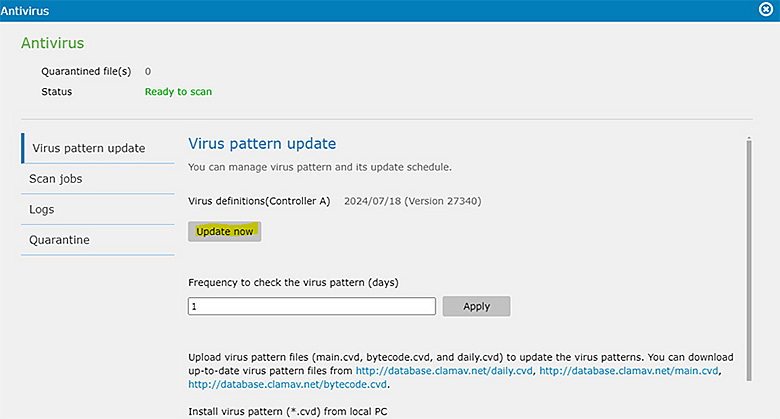
clicking Update Now

Diagnosis:

This issue occurs because a path (folder) needs to be set up to store the antivirus database. If this path is not specified, the date will not be updated.

Solution:
  • Go to Settings > Applications > Installed > Antivirus (Settings).
  • Select a folder to store the antivirus database.
    Select a folder to store the antivirus database

By setting up a storage path for the antivirus database, the update time will be correctly reflected after clicking "Update Now".

Was this article helpful?是 | 否

Thank you for your feedback!

Do you have any other feedback for this article?

{{ vm.showErrorMessage }}