- Switch to Shutdown Mode via GUI
Use the graphical user interface (GUI) to switch the system to Shutdown mode. - Access the Primary Controller via Serial Connection
Connect to the primary controller using a serial connection. - Modify Logical Volume (LV) Assignments
Navigate to LV > Assignments, and make the necessary changes. - Reboot the System
Restart the system to apply the changes.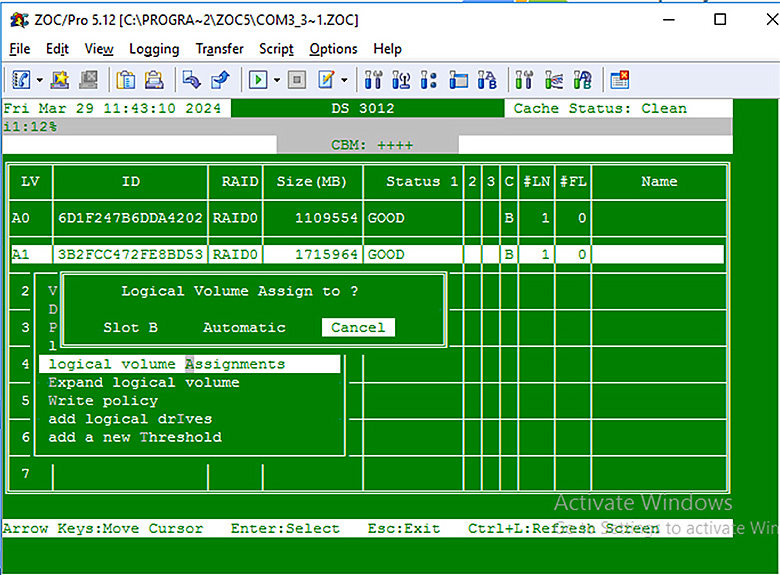
ナレッジベース
How to Change Logical Volume (LV) Assignment in DS?
Last modified date: Fri, 22 Nov 2024 14:23:32 GMT+8